There is a moment at almost every festival when you are somewhere between a stage, a bar and the campsite, signal is barely there, battery is no longer full, and you only need one simple answer: who is playing now, where are they playing, and does it clash with the other act you wanted to see?
For a long time, the answer was a printed schedule. A sheet of paper in your bag, tent or pocket. Useful in theory. In reality it gets folded, soaked, unreadable or left at camp exactly when you need it near the stage.
Then came screenshots and PDFs. That sounds more modern, but it does not automatically solve the problem. A lineup PDF with several stages, tiny type and three parallel timelines can quickly become more searching than planning on a phone. You zoom, scroll, rotate the display, lose your place, lock the screen by accident, and start again.
That is the real issue: festival planning on site needs to be faster than the chaos around you.
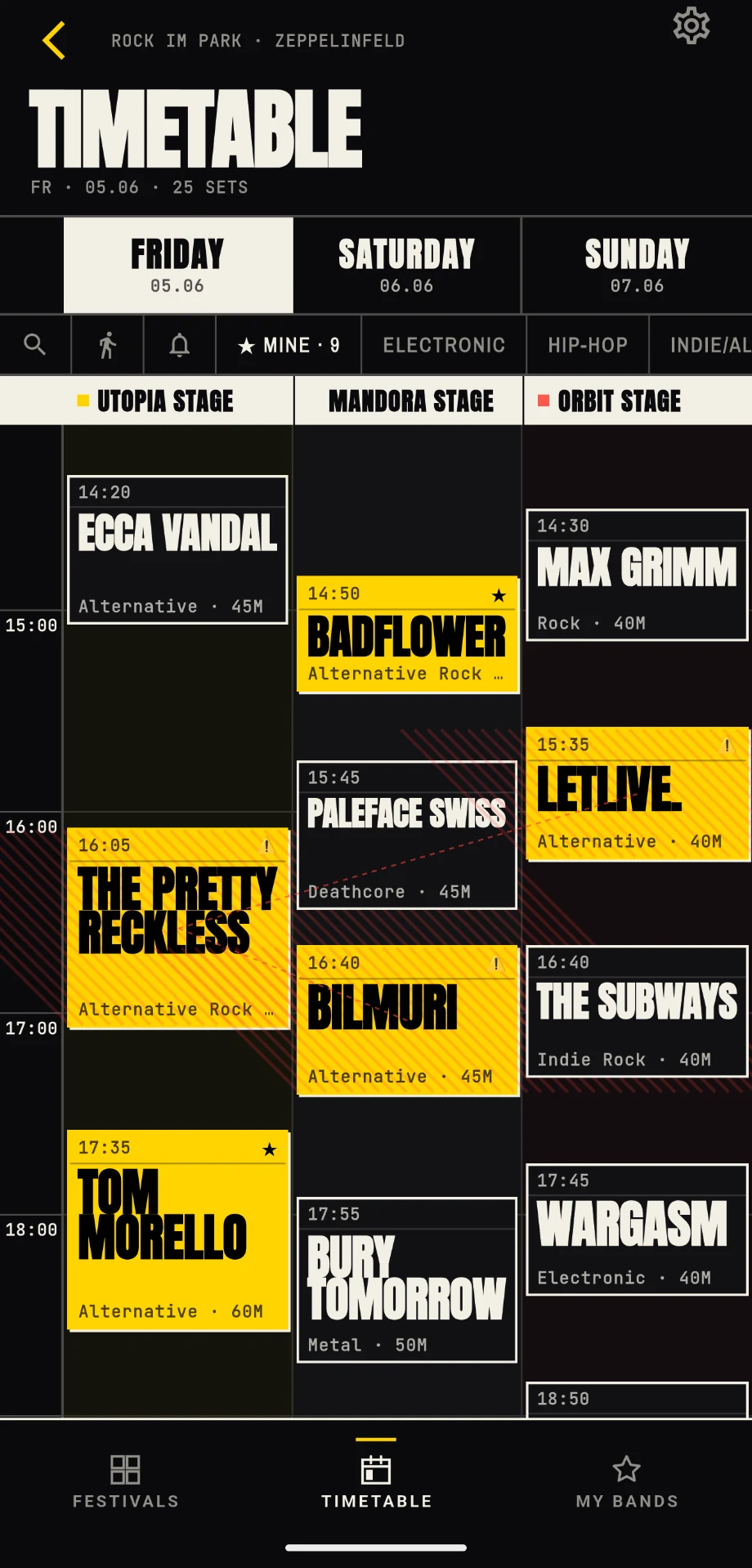
Why screenshots only help halfway
Screenshots are better than nothing. They work without signal, they are easy to make, and they sit in your camera roll. But they have a few familiar weaknesses.
You need to know in advance which screenshots you will need. If set times change, the screenshot is outdated. If you have several days, stages or festivals, the gallery gets messy fast. And if you want to know whether two of your favourite acts overlap, a static image does not help much.
A screenshot shows the plan. It does not think with you.
Why PDFs are annoying at festivals
PDFs are mostly an admin format for big lineups, not a festival tool. They work well on a laptop when you are planning calmly at home. On site, the situation is different.
Several stages side by side, small type, long days and many slots: on a phone, that often turns into a zoom-and-scroll exercise. Many PDFs are not really made for poor signal, small screens or quick checks between two sets.
A PDF rarely answers the question that matters most: what is relevant right now?
Offline is not just convenience, it is festival reality
Poor signal is normal at festivals. Many people in one place, temporary infrastructure, crowded mobile cells, low batteries, airplane mode to save power. If your plan only works online, you often notice at the worst possible moment.
A good festival schedule app should therefore work offline as a basic feature, not as an emergency fallback.
That means:
- The timetable stays available when signal drops.
- Marked acts remain saved.
- Your personal plan is available without an account.
- Clashes remain visible.
- Reminders for marked acts work so you do not have to keep every set start in your head.
- Smartwatch alerts can arrive on your wrist without pulling your phone out every time.
- The most important information is reachable quickly, without digging through a PDF.
Reminders matter more on site than they do at home
Before the festival, a timetable often still feels manageable. You mark bands, plan breaks, resolve clashes and think: this should work. On site, things change. You meet people, grab drinks, walk back to camp, stand in a queue, get caught somewhere, and suddenly the act you did not want to miss is already playing.
That is why notifications for marked acts matter. They do not make the decision for you, but they bring your plan back at the moment it becomes relevant.
In FestivalPilot, you can receive reminders for your marked acts. The free version uses a fixed lead time. With Premium, you can adjust the time between notification and set start more individually: early enough to walk over, just before the show, or with extra buffer for certain sets.
It gets even more relaxed with the smartwatch extension. When you use FestivalPilot on your watch, alerts can arrive directly on your wrist. Your phone can stay in your pocket more often while you still know when the next marked act starts.
That is especially useful on large festival grounds. A schedule might show five minutes between two stages, while reality takes ten.
What an offline festival schedule app does better
A good festival timetable is not just a digital sheet of paper. It should answer the typical festival question directly: what do I want to see next?
For that, you need clarity. Stages next to each other. Times in order. Favourite acts you can mark. Clashes you can see. Reminders before important sets. Smartwatch alerts when the phone should stay in your pocket. And ideally a mode that shows less of everything on the festival day and more of what matters now and in the next few hours.
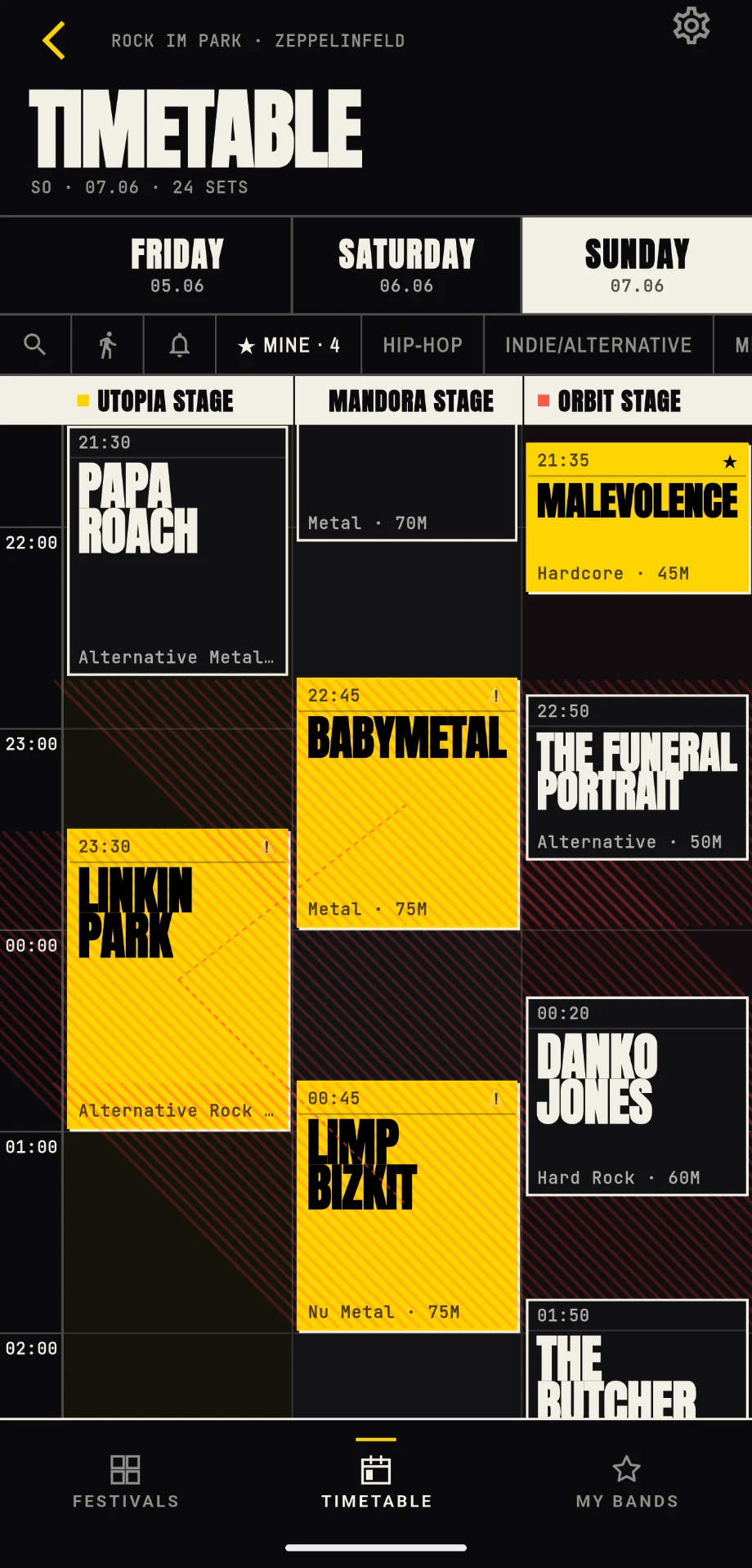
You plan differently at home than you do on the grounds. Before the festival, you browse, compare and discover bands. During the festival, you make quick decisions.
That is why FestivalPilot is actively being developed, especially around Live Mode. The app should bring forward what matters on site: current slots, upcoming marked acts, unresolved clashes and practical festival-day hints.
A paper schedule in the tent is not a strategy
Paper has charm. It really does. But once rain, mud, darkness, spilled drinks or a rushed stage change enter the picture, the printed schedule quickly becomes a romantic idea from another time.
The goal is not to make festival planning more complicated. A good app should replace the sheet of paper without feeling like work.
Once you have opened a festival, the key data should be available locally. Then it does not matter much whether signal is weak on site. As long as the battery lasts and the phone does not go swimming, your plan stays with you. And with the smartwatch extension active, not every reminder needs a reach for the phone.
Where FestivalPilot fits
FestivalPilot was built around exactly this problem: festival planning should not depend on paper, PDFs, screenshots or perfect signal.
The app brings lineups and timetables into one overview, lets you mark acts, shows overlaps and stores festival data locally on the device. It also adds reminders for marked acts, so your personal plan does not just sit somewhere inside the app but reaches you before important sets. With the smartwatch extension, those alerts can land directly on your wrist.
The free version covers the core use case: view the timetable, mark acts, detect clashes, receive reminders and keep your own plan in view. Premium adds comfort features such as individually adjustable reminder lead times, costs roughly as much as a drink at a festival for a full season, and supports the continued development of an independent festival app.
You can learn more on the homepage, in the tutorial and in the FAQ about Free, Pro and festival planning.
Conclusion
A printed festival schedule is better than no plan. A screenshot is better than searching in the browser. A PDF is better than a lost link.
But on site, something else matters: seeing what is important right now. Without signal stress, without endless scrolling, without the schedule left in the tent, and without missing the act you had marked for a reason.
An offline festival schedule app with favourites, clashes, reminders and smartwatch alerts is not a luxury. It is simply the more realistic answer to what festivals are: loud, crowded, wet, chaotic, brilliant, and rarely a place with perfect reception.